
Email AI
MessagesRead, write, and organize your email.
 Dear.so
Extension for Dear.so
HubSpotWork with HubSpot CRM records and read Marketing, Content, Files, Automation, Conversations, and Events data.
For eligible new accounts. Review the recurring price and trial terms before payment.
Connect your HubSpot account in Dear.so after installation.
Choose an example to explore the workflow.
What can I do with my connected HubSpot extension?
Illustrative setup guidance, not a live response.
Your next app. The same simple workspace.
Ask in your own words Use your connected apps Choose what to shareWhat you can do with Dear.so for HubSpot
Connect the extension, explore the actions available to your account, and give Dear.so the context for your task.
Inside the Dear.so desktop app
Follow the connection instructions for HubSpot in Dear.so. Available actions depend on the extension and your account permissions.
See how to get started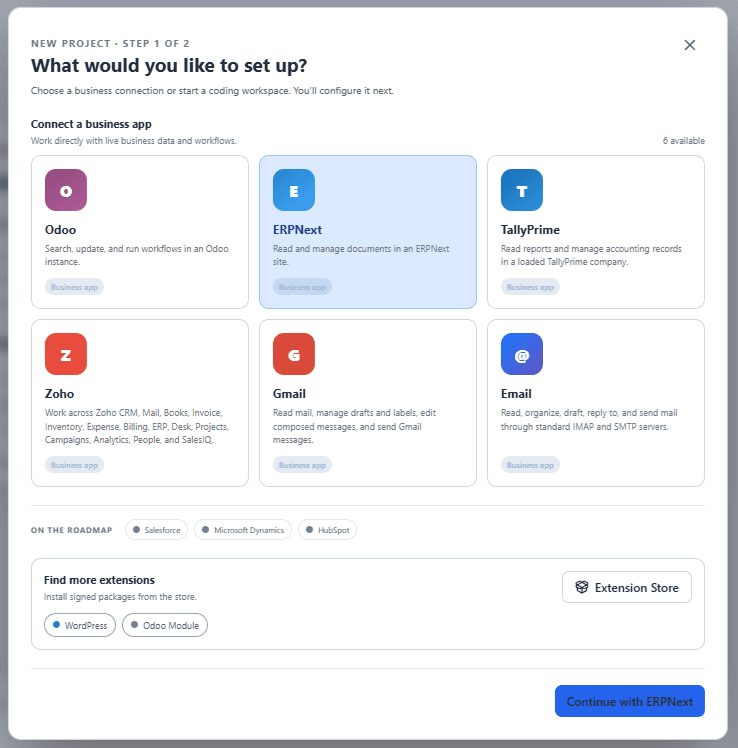
Your choice follows you into the app
Choose HubSpot here. We’ll remember your request, so you can spend less time finding extensions and more time on your work.
Use an install button on this page. Already have Dear.so? Open it and confirm. New users can register or sign in to save this choice.
Download and install the desktop app, then sign in with the same account. Complete any required account activation.
Dear.so checks the package and installs a compatible release automatically. If it is already installed and compatible, you’re ready to continue.
Open project setup and connect your HubSpot account. Installation alone does not grant access to your service or data.
It is an extension for the Dear.so desktop workspace. Work with HubSpot CRM records and read Marketing, Content, Files, Automation, Conversations, and Events data.
Yes. The HubSpot extension runs inside Dear.so, rather than in this website. You need a Dear.so account and an active plan or trial that allows you to use the app. Follow the connection instructions for HubSpot in Dear.so. Available actions depend on the extension and your account permissions.
Choose “Start 7-Day Trial” and register or sign in. We save your explicit HubSpot installation request to your account. Download the standard Dear.so app and sign in with the same account. Once your account is ready, Dear.so installs a trusted compatible release, or reuses one already installed. The extension is not bundled into a personalized installer.
No. Installation adds the extension to Dear.so. You then connect your HubSpot account through project setup, providing the required credentials or completing authorization. You can do that later.
Your browser may ask permission to open Dear.so. If nothing happens, download or update the app and sign in with the same account. Failed extension requests offer Retry in the app; queued or failed requests can be cancelled. You can continue onboarding while installation runs.
No. A completed request is not repeated on later sign-ins. If you remove the extension, the old completed request will not reinstall it. You can explicitly request it again when you need it.
No. The extension helps you work with HubSpot from Dear.so. You still use your existing account or workspace, with its usual permissions and any required subscription.
Dear.so is an independent product from Macrofix Software Private Limited. It is not made, endorsed, or sponsored by HubSpot unless we explicitly state otherwise. Third-party names and trademarks belong to their respective owners.
No. They use illustrative records to show the kinds of requests you can make. Connect your own account in Dear.so to work with your information. Results depend on your data, permissions, and chosen AI.
Yes. You can add other available extensions in Dear.so and choose which connected apps to use for a task.
Your work does not stop at one app
Read, write, and organize your email.
Find and update your business information.
Manage your Gmail messages and drafts.
Find information and get work done in Odoo.
View accounts and update business records.
Create and manage your website content.
Work across your Zoho business apps.
Your next task starts here
Start your trial with HubSpot selected, then sign in to the Dear.so desktop app.
For eligible new accounts. Review the recurring price and trial terms before payment.


