Connect your apps
Choose the business apps you want to use with Dear.so.
 Dear.so
Bring a file, question, or task. Dear.so reads from your connected apps, prepares the work, and lets you review supported changes before they are made.
Real Dear.so screens
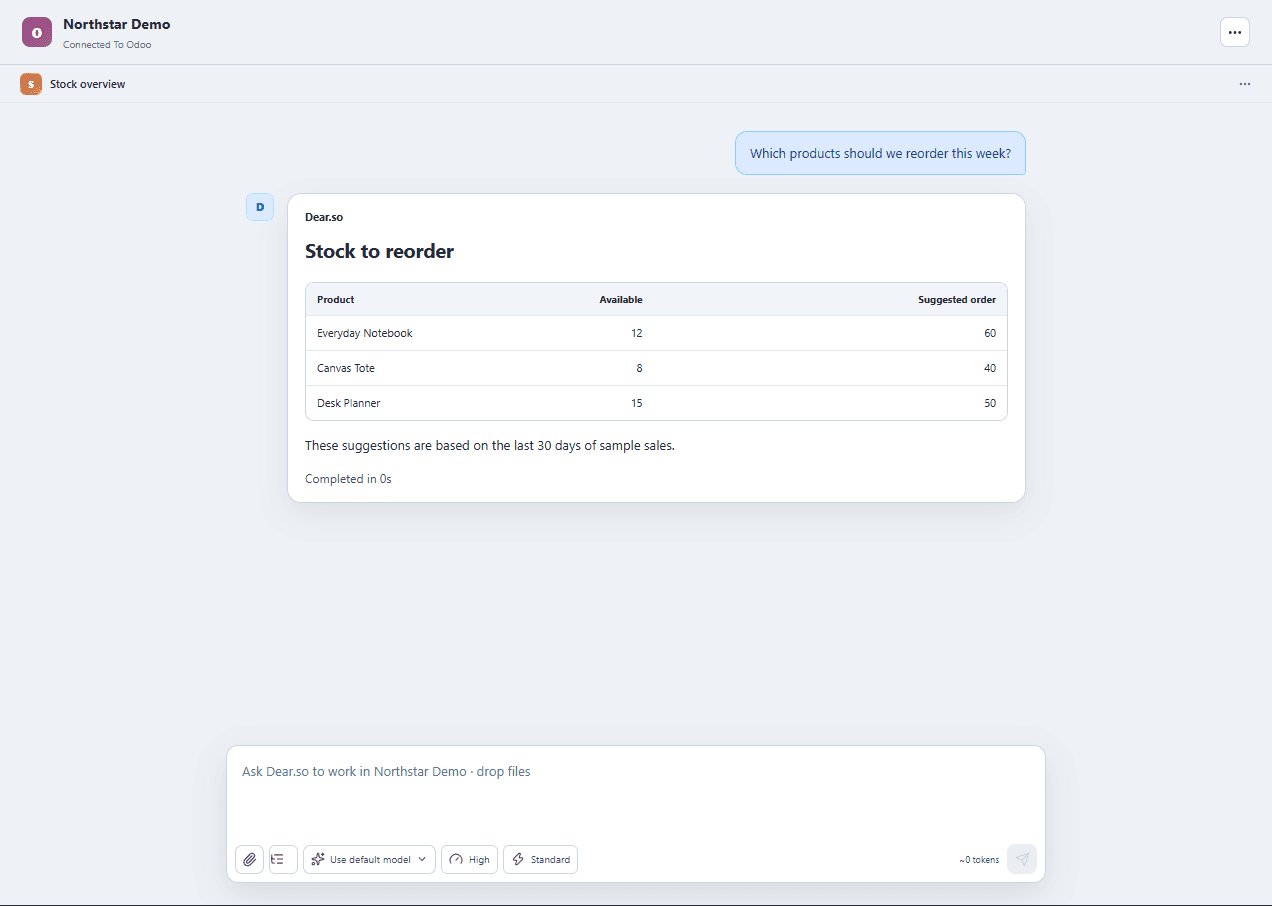
Ask about stock, sales, or customer follow-ups, then inspect the result and the records behind it.
Simple from start to finish
Connect only the apps you need. Describe the outcome, then review the answer or proposed change before it reaches your system.
Choose the business apps you want to use with Dear.so.
Ask in plain language, just like speaking to a teammate.
Check the finished work and approve it when you are ready.
Available apps
Each page shows what Dear.so can read, prepare, create, or update with that app. The examples are starting points, not a fixed menu.
Read, write, and organize your email.
Find and update your business information.
Manage your Gmail messages and drafts.
Find information and get work done in Odoo.
Create and improve your Odoo apps.
View accounts and update business records.
Create and manage your website content.
Work across your Zoho business apps.
Your privacy
Your workspace is stored on your computer. Tasks can send relevant information to the AI providers and apps you connect. Read our Privacy Policy.
Local workspaceStored on your computer
Chosen appsOnly the ones you connect
Task dataShared when a task needs it
Start with a 7-day trial, connect the apps you choose, and keep control of every supported change.
For eligible new accounts · Monthly plan after trial · Windows 10+


